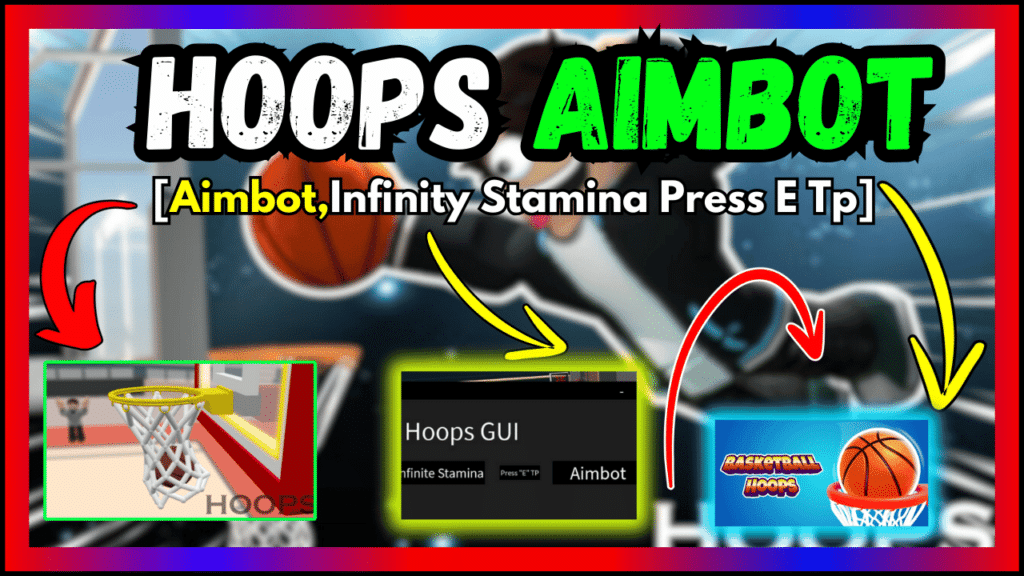
Hoops (Basketball) offers exciting features like Infinity Stamina, Press E Tp, and Aimbot. Experience an enhanced gaming adventure with these incredible additions. Enjoy seamless gameplay and master your basketball skills effortlessly.
| Game: | Hoops – Demo (Basketball) |
| Features: | Infinity Stamina, Press E Tp, Aimbot |
| Developer: | @UFAIL2 |
| Genre: | Sports |
| Update Date: | 30.07.2024 |
--//Made by TactBaon#1724
--//Sources are impossible to get if you got it
--//:clap:

local ScreenGui = Instance.new("ScreenGui")
local MainFrame = Instance.new("Frame")
local Frame = Instance.new("Frame")
local ExitButton = Instance.new("TextButton")
local MiniMaze = Instance.new("TextButton")
local TextButton = Instance.new("TextButton")
local TextButton_2 = Instance.new("TextButton")
local TextLabel = Instance.new("TextLabel")
local TextButton_3 = Instance.new("TextButton")
local Login = Instance.new("Frame")
local TextLabel_2 = Instance.new("TextLabel")
local Frame_2 = Instance.new("Frame")
local YesButton = Instance.new("TextButton")
local NoButton = Instance.new("TextButton")
local OpenButton = Instance.new("TextButton")

-- Settings

ScreenGui.Parent = game.CoreGui

MainFrame.Name = "MainFrame"
MainFrame.Parent = ScreenGui
MainFrame.BackgroundColor3 = Color3.new(0.117647, 0.117647, 0.117647)
MainFrame.BorderColor3 = Color3.new(0.117647, 0.117647, 0.117647)
MainFrame.Position = UDim2.new(0.170381308, 0, 0.164451838, 0)
MainFrame.Size = UDim2.new(0, 586, 0, 348)
MainFrame.Visible = false
MainFrame.Draggable = true

Frame.Parent = MainFrame
Frame.BackgroundColor3 = Color3.new(0, 0, 0)
Frame.BorderColor3 = Color3.new(0, 0, 0)
Frame.Size = UDim2.new(0, 586, 0, 38)

ExitButton.Name = "ExitButton"
ExitButton.Parent = MainFrame
ExitButton.BackgroundColor3 = Color3.new(0, 0, 0)
ExitButton.BorderColor3 = Color3.new(0, 0, 0)
ExitButton.Position = UDim2.new(0.924914658, 0, 0, 0)
ExitButton.Size = UDim2.new(0, 44, 0, 38)
ExitButton.Font = Enum.Font.SourceSans
ExitButton.Text = "X"
ExitButton.TextColor3 = Color3.new(1, 1, 1)
ExitButton.TextScaled = true
ExitButton.TextSize = 14
ExitButton.TextWrapped = true
ExitButton.MouseButton1Click:connect(function()
	MainFrame.Visible = false
end)

MiniMaze.Name = "MiniMaze"
MiniMaze.Parent = MainFrame
MiniMaze.BackgroundColor3 = Color3.new(0, 0, 0)
MiniMaze.BorderColor3 = Color3.new(0, 0, 0)
MiniMaze.Position = UDim2.new(0.849829316, 0, 0, 0)
MiniMaze.Size = UDim2.new(0, 44, 0, 38)
MiniMaze.AutoButtonColor = false
MiniMaze.Font = Enum.Font.SourceSans
MiniMaze.Text = "-"
MiniMaze.TextColor3 = Color3.new(1, 1, 1)
MiniMaze.TextScaled = true
MiniMaze.TextSize = 14
MiniMaze.TextWrapped = true
MiniMaze.MouseButton1Click:connect(function()
	MainFrame.Visible = false
	OpenButton.Visible = true
end)

TextButton.Parent = MainFrame
TextButton.BackgroundColor3 = Color3.new(0, 0, 0)
TextButton.BorderColor3 = Color3.new(0, 0, 0)
TextButton.Position = UDim2.new(0.0238907821, 0, 0.508620679, 0)
TextButton.Size = UDim2.new(0, 200, 0, 50)
TextButton.Font = Enum.Font.SourceSans
TextButton.Text = "Infinite Stamina"
TextButton.TextColor3 = Color3.new(1, 1, 1)
TextButton.TextScaled = true
TextButton.TextSize = 14
TextButton.TextStrokeColor3 = Color3.new(1, 1, 1)
TextButton.TextWrapped = true
TextButton.MouseButton1Click:connect(function()
	while true do
game.Players.LocalPlayer.PlayerScripts.Events.Player.Stamina.Stamina.Value = 9001
wait()
end
end)

TextButton_2.Parent = MainFrame
TextButton_2.BackgroundColor3 = Color3.new(0, 0, 0)
TextButton_2.BorderColor3 = Color3.new(0, 0, 0)
TextButton_2.Position = UDim2.new(0.62627995, 0, 0.508620679, 0)
TextButton_2.Size = UDim2.new(0, 200, 0, 50)
TextButton_2.Font = Enum.Font.SourceSans
TextButton_2.Text = "Aimbot"
TextButton_2.TextColor3 = Color3.new(1, 1, 1)
TextButton_2.TextScaled = true
TextButton_2.TextSize = 14
TextButton_2.TextStrokeColor3 = Color3.new(1, 1, 1)
TextButton_2.TextWrapped = true
TextButton_2.MouseButton1Click:connect(function()
	function onKeyPress(inputObject, gameProcessedEvent)
if inputObject.KeyCode == Enum.KeyCode.R then
game.ReplicatedStorage.Ball.StartShooting:FireServer()
        wait(0.5)
        game.ReplicatedStorage.Ball.EndShooting:InvokeServer(true,"Perfect")
end
end

game:GetService("UserInputService").InputBegan:connect(onKeyPress)
end)

TextLabel.Parent = MainFrame
TextLabel.BackgroundColor3 = Color3.new(0.117647, 0.117647, 0.117647)
TextLabel.BorderColor3 = Color3.new(0.117647, 0.117647, 0.117647)
TextLabel.Position = UDim2.new(0.0238907859, 0, 0.195402294, 0)
TextLabel.Size = UDim2.new(0, 300, 0, 81)
TextLabel.Font = Enum.Font.SourceSans
TextLabel.Text = "Hoops GUI"
TextLabel.TextColor3 = Color3.new(1, 1, 1)
TextLabel.TextSize = 72

TextButton_3.Parent = MainFrame
TextButton_3.BackgroundColor3 = Color3.new(0, 0, 0)
TextButton_3.BorderColor3 = Color3.new(0, 0, 0)
TextButton_3.Position = UDim2.new(0.424914718, 0, 0.537356317, 0)
TextButton_3.Size = UDim2.new(0, 88, 0, 30)
TextButton_3.Font = Enum.Font.SourceSans
TextButton_3.Text = "Press "E" TP"
TextButton_3.TextColor3 = Color3.new(1, 1, 1)
TextButton_3.TextScaled = true
TextButton_3.TextSize = 14
TextButton_3.TextStrokeColor3 = Color3.new(1, 1, 1)
TextButton_3.TextWrapped = true
TextButton_3.MouseButton1Click:connect(function()
	            plr = game.Players.LocalPlayer
hum = plr.Character.HumanoidRootPart
mouse = plr:GetMouse()

mouse.KeyDown:connect(function(key)
if key == "e" then
if mouse.Target then
hum.CFrame = CFrame.new(mouse.Hit.x, mouse.Hit.y + 5, mouse.Hit.z)
end
end
end)
end)

Login.Name = "Login"
Login.Parent = ScreenGui
Login.BackgroundColor3 = Color3.new(0.117647, 0.117647, 0.117647)
Login.Position = UDim2.new(0.345971584, 0, 0.23172757, 0)
Login.Selectable = true
Login.Size = UDim2.new(0, 343, 0, 209)

TextLabel_2.Parent = Login
TextLabel_2.BackgroundColor3 = Color3.new(0.117647, 0.117647, 0.117647)
TextLabel_2.BorderColor3 = Color3.new(0.117647, 0.117647, 0.117647)
TextLabel_2.Position = UDim2.new(0, 0, 0.205741629, 0)
TextLabel_2.Size = UDim2.new(0, 343, 0, 50)
TextLabel_2.Font = Enum.Font.SourceSans
TextLabel_2.Text = "Are you sure to launch this gui?"
TextLabel_2.TextColor3 = Color3.new(1, 1, 1)
TextLabel_2.TextScaled = true
TextLabel_2.TextSize = 14
TextLabel_2.TextWrapped = true

Frame_2.Parent = Login
Frame_2.BackgroundColor3 = Color3.new(0, 0, 0)
Frame_2.BorderColor3 = Color3.new(0, 0, 0)
Frame_2.Size = UDim2.new(0, 343, 0, 35)

YesButton.Name = "YesButton"
YesButton.Parent = Login
YesButton.BackgroundColor3 = Color3.new(0.117647, 0.117647, 0.117647)
YesButton.BorderColor3 = Color3.new(0.117647, 0.117647, 0.117647)
YesButton.Position = UDim2.new(0, 0, 0.535885155, 0)
YesButton.Size = UDim2.new(0, 161, 0, 55)
YesButton.Font = Enum.Font.SourceSans
YesButton.Text = "Yes"
YesButton.TextColor3 = Color3.new(1, 1, 1)
YesButton.TextScaled = true
YesButton.TextSize = 14
YesButton.TextWrapped = true
YesButton.MouseButton1Click:connect(function()
	MainFrame.Visible = true
	Login.Visible = false
end)

NoButton.Name = "NoButton"
NoButton.Parent = Login
NoButton.BackgroundColor3 = Color3.new(0.117647, 0.117647, 0.117647)
NoButton.BorderColor3 = Color3.new(0.117647, 0.117647, 0.117647)
NoButton.Position = UDim2.new(0.53061223, 0, 0.535885155, 0)
NoButton.Size = UDim2.new(0, 161, 0, 55)
NoButton.Font = Enum.Font.SourceSans
NoButton.Text = "No"
NoButton.TextColor3 = Color3.new(1, 1, 1)
NoButton.TextScaled = true
NoButton.TextSize = 14
NoButton.TextWrapped = true
NoButton.MouseButton1Click:connect(function()
	Login.Visible = false
end)

OpenButton.Name = "OpenButton"
OpenButton.Parent = ScreenGui
OpenButton.BackgroundColor3 = Color3.new(1, 1, 1)
OpenButton.Position = UDim2.new(0.650868893, 0, 0.852159441, 0)
OpenButton.Size = UDim2.new(0, 200, 0, 50)
OpenButton.Visible = false
OpenButton.Style = Enum.ButtonStyle.RobloxButton
OpenButton.Font = Enum.Font.SciFi
OpenButton.Text = "OPEN"
OpenButton.TextColor3 = Color3.new(1, 1, 1)
OpenButton.TextScaled = true
OpenButton.TextSize = 14
OpenButton.TextWrapped = true
OpenButton.MouseButton1Click:connect(function()
	MainFrame.Visible = true
	OpenButton.Visible = false
end)

-- Scripts()
Steps:
1. Click COPY button for auto copy script
2. Paste the script into your script application
3. Run and done
With these simple steps, players can quickly and easily use the script to improve their Roblox game experience.